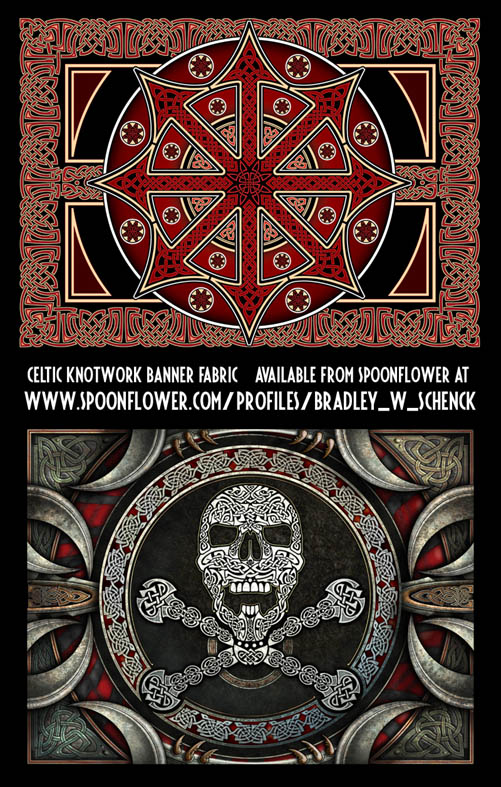
Over at Spoonflower I’ve posted 14 celtic knotwork designs which you can buy there on a whole bunch of fabrics, on wallpaper, or on giftwrap.
There are some all-over repeating patterns, some panels with bold knotwork stripes, some more painterly work (hint:drapes), and a couple of stitch-them-yourself banners (seen below) with my crazy Celtic pirate flag and the Chaos Star.
Have a look!
This entry was posted on Thursday, September 20th, 2018
and was filed under Works in Progress
There have been no responses »
Happy September!
So now I’m a one-month veteran at Patreon, and with any luck I know what I’m doing. Here’s what Patrons can expect to see this month:
September 6 (for Patrons at $5 and above)
Fauxliens from Outer Space is a 4700 word short story I wrote early this year. It was vaguely inspired by the Sector General stories of James White. It appears here for the first time.
September 13th (for Patrons at $15 and above)
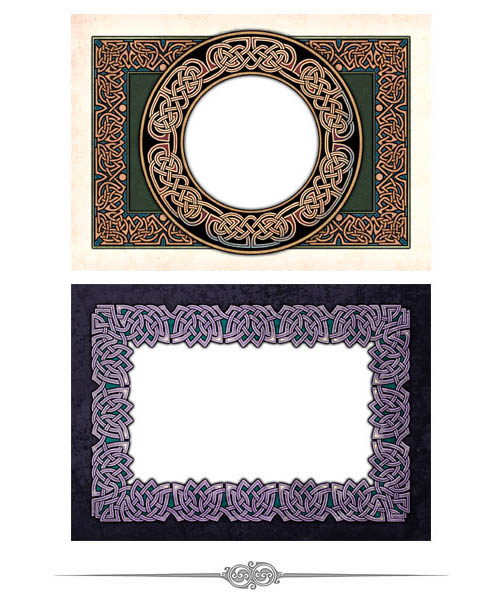
Two print-resolution Celtic knotwork borders at greeting card size, with transparent areas inside the borders. If you have image editing software you can place your own picture or message inside the border. (These are for personal use only.)
September 20th (for Patrons at $10 and above)
Morno’s Masterpiece is a four-page illustrated story that was published in 1977 in a comic book called JAM: An Album of Fables. It’s not really a comics story, but what can I do about that now?
September 27th (for Patrons at $1 and above)
Robot Indentures in Slaves of the Switchboard of Doom is an article that looks at the way robots are produced and financed in my city of Retropolis, and why I thought that was a way we might handle intelligent mechanical people.
So, as before, $15 patrons will see something every week while the rest will see one, two, or three updates. I hope you enjoy them!
This entry was posted on Saturday, September 1st, 2018
and was filed under Works in Progress
There have been no responses »
I’ve had an encouraging response to my Original Art page here, and as a result I fared back into my Scary Storage Room to dig out some more of my work from the 1980’s. The room’s not empty, but I don’t think I’ll find much more of this stuff in there.
For now, anyway, I’ve added 20 new ink and ink-and-wash drawings to the page.
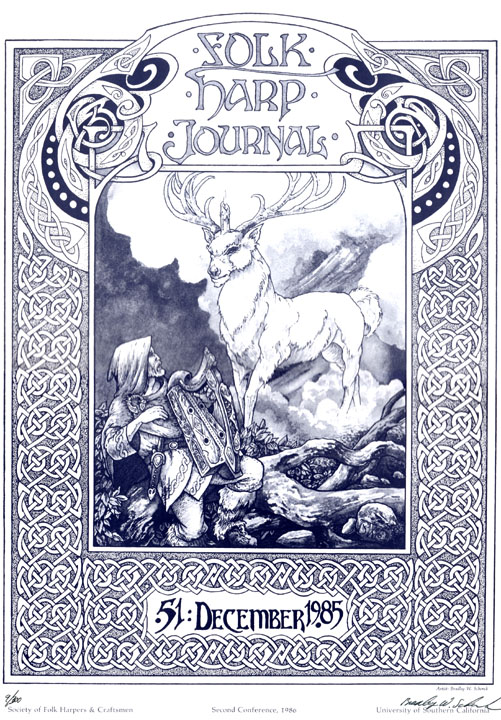
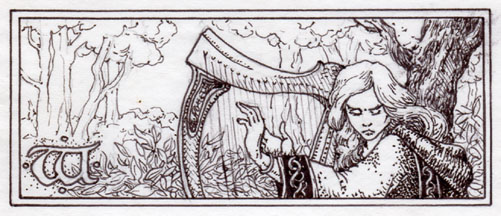
There are a few more illustrations for the Leslie Fish/Rudyard Kipling songbook, Cold Iron; more illustrations and cover art for Runestaff; and some odds and ends like three numbered prints of my cover for issue #51 of The Folk Harp Journal (shown) and my title page illustration for Pat macSwyney’s book Celtic Ceilidh for Dulcimer.
If that’s not something for everybody, well, it’s the closest thing I have. Take a look!
This entry was posted on Friday, August 10th, 2018
and was filed under Works in Progress
There have been 3 Responses »
If you’ve read my last post you know already that I’m in a difficult situation; you won’t be surprised to hear that I’m trying out some creative solutions to my problems. The first of these is a page at Patreon where you can to subscribe to a monthly supply of content.
There are tiers at $1, $5, $10, and $15. The highest-level patrons will get something from me every week, while the $1 patrons will see just one of the updates.
The big benefits of the $15 level are (for the first year or so) print-resolution Celtic knotwork greeting card images. They’ve got transparent areas so that you can add your own images to sit inside the borders’ frames.

Whenever I run out of those (or when you get tired of them) I’ll come up with something else.
The rest of the content includes unpublished or obscure stories, some illustrated poems by me and by dead people like William Butler Yeats, and some first drafts (which I don’t usually share) with my own notes that explain what’s wrong with them. There are also some less-classifiable things that date all the way back to the 1970’s.
I hope you’ll have a look at the page and consider supporting my work at one level or another. I’ll try to make sure it’s worth your while!
This entry was posted on Thursday, August 2nd, 2018
and was filed under Thrilling Tales of the Downright Unusual, Works in Progress
There have been no responses »
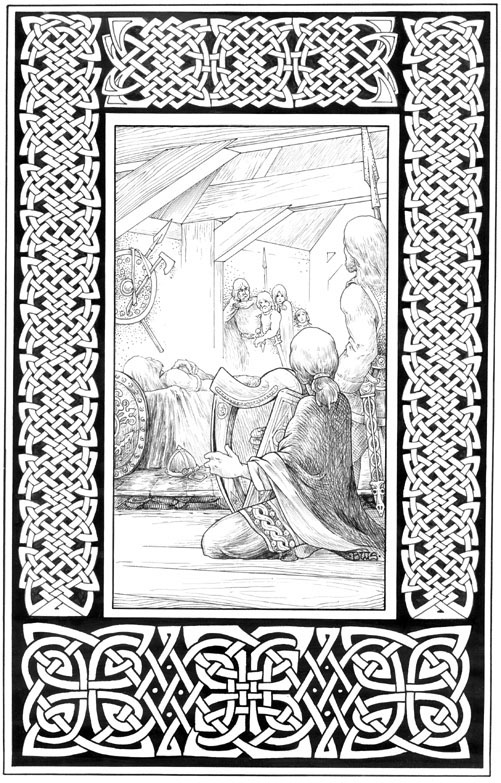
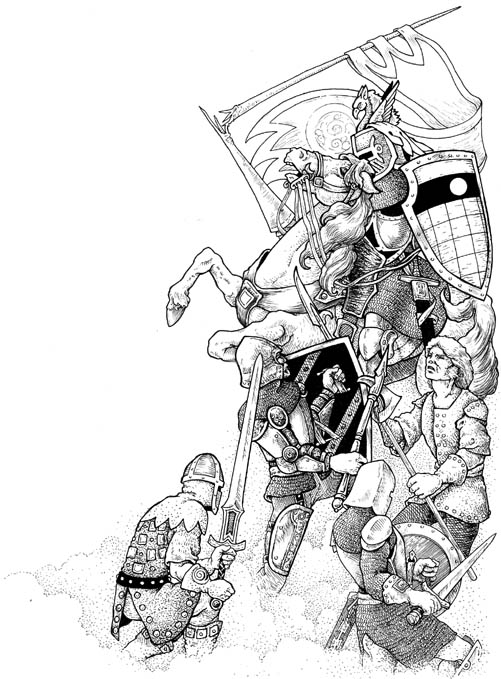
It looks like I’ve reached the “Everything Must Go!” stage of my life; because the sad financial reality is that, one way or another, everything really must go.
So I’ve braved my scary storage room and come out again with twenty-six paintings and drawings from the 1980’s which you’ll now find for sale right here at my blog.
There are illustrations from the SCA/Barbarian Freehold Runestaff, the Leslie Fish/Rudyard Kipling Cold Iron songbook, and from a few other places.
Have a look!
This entry was posted on Thursday, April 19th, 2018
and was filed under Works in Progress
There have been no responses »
So it’s release day for Patently Absurd, and that means heavy drinking a release day race. Right?
Because even though A Day at the Races isn’t anybody’s favorite Marx Brothers film, it’s still a dang site easier to deal with on my blog than Duck Soup or Horse Feathers.
I mean, the last time I had Duck Soup over I had marching soldiers singing “Hail, Hail Freedonia” in here for days. Actual days.
So we’ll stick with the races this time.
Booklist was first past the post this time with their review:
It’s all lighthearted fun and wild invention, but Schenck takes a serious turn in the final story, which brings touching depth to his main characters. A great follow-up to Slaves of the Switchboard of Doom (2017).
But they were soon overtaken by SFRevu:
Patently Absurd may not be serious science fiction, but it’s great stuff, and it’s stuffed with the tropes that made the pulp era pulsate like a mutant alien squid, albeit with a nod towards modern sensibilities. Maybe, in its own way, it is serious science fiction, camouflaged as whimsy. No matter what you decide to call it, it’s fun.
And then, like a death ray out of nowhere, came Paul Semel’s interview with me:
I wanted to do something with ordinary people whose jobs made them interact with the mad scientists in the Experimental Research District. So I thought about accountants. I don’t think about accountants that often. I mean, you don’t, do you?
The field’s still wide open: it’s anybody’s race at this point. Look! There’s Utopia State of Mind, racing ’round the bend! And you can’t forget the Toronto Star, where they loved Slaves of the Switchboard of Doom; that review will be here on Saturday. (Hey, this is a marathon, not a sprint, okay?)
And of course the real main event on release day is that you can buy the book now in all of the usual places. And once you read it, don’t be shy: please, please, please review it at Amazon, and at Goodreads, and wherever else books are reviewed.
This entry was posted on Tuesday, March 13th, 2018
and was filed under Patently Absurd, Thrilling Tales of the Downright Unusual, Works in Progress
There has been 1 Response »
It’s that time of year when people and web sites look back on the year behind us and draw some conclusions.
According to borg.com, ‘Slaves of the Switchboard of Doom’ is the Best Sci-fi Read of 2017.
I can’t say I think they’re right, but it’s awfully nice of them to see it that way.
Here’s how they justify themselves:
Imaginative, new, and fun, Schenck took us into a timeless world full of nostalgia and classic science fiction. Great tech, and a sprawling story. Interesting characters and great world-building, this novel will be a great surprise for sci-fi readers.
This entry was posted on Saturday, December 30th, 2017
and was filed under Slaves of the Switchboard of Doom, Works in Progress
There has been 1 Response »

I’ve been selling customizable business cards for several years now at Retropolis and The Celtic Art Works. Customers would click on a sample image and be carried over to the Zazzle site, where they could edit the text on that card design to their own specification. The system worked pretty well, and a lot of people bought their business cards that way; but I’ve always thought it could work better.
After I built the Pulp-O-Mizer I could even see how it might be better: if all the possible background images were available in menus, and the whole user interface worked a bit more like the Pulp-O-Mizer, I figured that the process would not only be more fun, but more engaging. Customers would be able to try out all sorts of possibilities… so they would. They’d be more likely to buy their cards once they’d invested their time in them. It could work out better for all of us.
But it wouldn’t be a small job, and I’d need a fair-sized block of time to work on it.
As it turns out, the job took about a month.
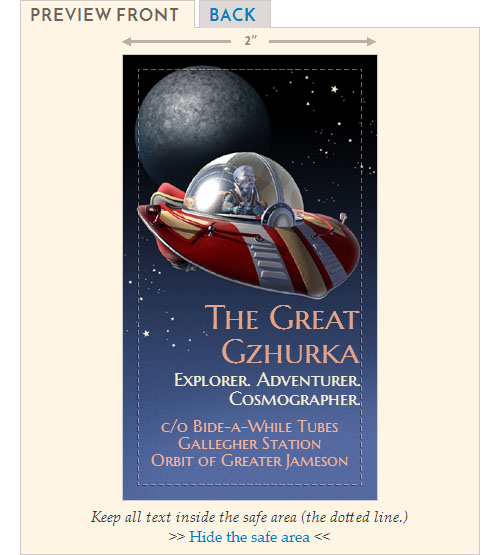
It’s alive! Alive, I tell you!
So today I’ve unveiled the Business Card Construction Kit at Retropolis. (It’ll show up soon at The Celtic Art Works, too; but I’ve included all the Celtic art backgrounds already.)
The Business Card Construction Kit includes much of what the Pulp-O-Mizer does, but it also does more. You can design a business card in either horizontal/landscape or vertical/portrait shapes; you can have images and text on both the front and the back of the business cards; you can select any colors you like for your text; you have over 250 background images from which to choose, along with a wide variety of typefaces; and I’ve made innumerable little improvements to the user interface and user feedback.
It’s a pretty nice system!
Over 250 background images
The background images are divided by subject and style; in addition there are separate menus of images for the front and back of the cards. (That’s because the card stocks are usually coated on just one side, so an image that works well on the front may not look as good on the back of the card.)
There are a lot of Retropolis images, of course, but I’ve included all the old Celtic card backgrounds from The Celtic Art Works, and then added a lot of new border designs and images in that style. And I can continue to add more designs and styles as time goes on.
Many text controls, typefaces, and selectable text colors
Both the front and back of your business card can have up to six different areas of text, each with their own controls.
The color selector is something that I decided to leave out of the Pulp-O-Mizer, but it makes a lot of sense here.
And because there are so many typefaces available in the Business Card Construction Kit I’ve given you a second menu, which you can use to filter the typeface list by font type: Serif, Sans Serif, Hand Lettered, or All.
Save, export, and share your card designs
In order to save, move, or share your card designs, you get the same options as you do in the Pulp-O-Mizer. You can save and load locally, or you can export your card data as a block of text that can be imported into the Construction Kit on another device or browser.
There’s also a menu of example designs that you can load, and learn from, and even use as the basis for your own business card.
So that’s what I’ve been working on. I think it’s a much improved system for buying your customized business cards, and it’s designed to grow, as well. Give it a spin!
This entry was posted on Tuesday, November 28th, 2017
and was filed under Print On Demand, Web Development, Works in Progress
There have been 2 Responses »
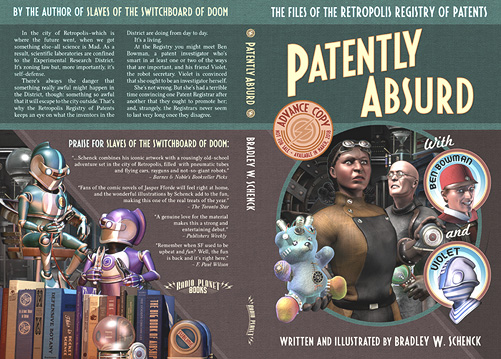
Well, it was uphill all the way for our first stretch goal, if by “uphill all the way” we mean up and down and up again; but we finally made it, and we’ve got just over a week left to hit the second stretch goal.
If we get there, this is what happens: I have the funds to arrange a Kirkus Indie review; and everybody who pledged over $50 will get a memo notebook with the Patently Absurd cover art on its own cover. These are nice little notebooks, as I can tell you from my personal scribbling experience.
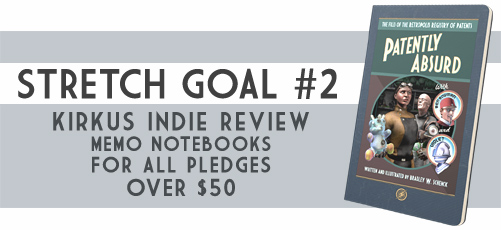
It’s a harder goal to reach, at $1900, but we may have the urgency of the project’s end on our side. It’s coming up!
So if you have friends or if you see strangers who might like the book, this is the time to tell them all about it wherever you find them: on Facebook or Twitter, or at your own blog, or at GoodReads or LibraryThing or, in fact, anyplace at all.
It’s the larger pledges that will benefit from this stretch reward, so I’ve added a new set of ten “Collector II” rewards at $65. They’re just like the original Collector rewards except that they cost a bit more. That’s so you early adopters have a reason to look smug. If you need one, I mean.
(For the rest of you, that $65 gets you a signed, printed advance copy of Patently Absurd; a matching eBook of the same; an eBook edition of The Lair of the Clockwork Book; a pair of custom bookmarks; and a signed hardcover copy of Slaves of the Switchboard of Doom; plus a memo notebook, if we hit the second stretch goal.)
In other news, today I should see my third proof copy of the book. The last one was pretty great, but I’m still fiddling with color profiles for the cover.
This entry was posted on Thursday, November 2nd, 2017
and was filed under Patently Absurd, Thrilling Tales of the Downright Unusual, Works in Progress
There have been no responses »
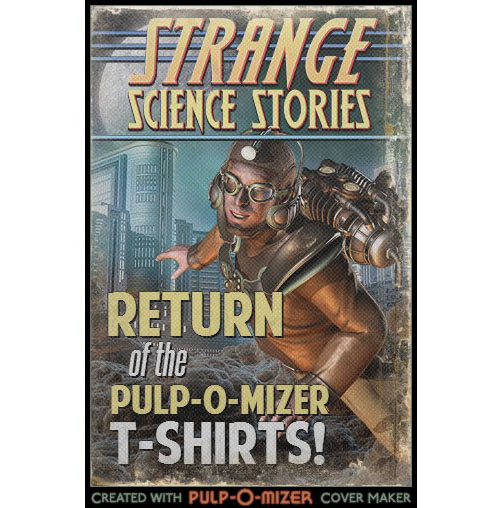
Back around the middle of July, the relentless T-Shirt engine of the Pulp-O-Mizer sputtered and failed.
I looked through it. I discovered that figuring the problem out was going to be both complicated and time-consuming. Then I just threw a tarpaulin over it and kicked it a couple of times. I had a lot to do, right then, and I was going to have to postpone the whole thing until my eyes had uncrossed and I could give it some thought.
That happened this morning. I wish I could say that I’d been brilliant, but the sad truth is that I tried a gazillion little changes and, once I got it running again, I had no idea which one of them did the trick. Or if it was all of them.
But it works now. Huzzah!
Once again you can get a custom T-Shirt with your very own Pulp-O-Mizer image on it. Just… don’t ask me how I did it.
This entry was posted on Tuesday, October 24th, 2017
and was filed under Thrilling Tales of the Downright Unusual, Works in Progress
There have been no responses »